Install software needed for playwright and typescript
Install Node from following path https://nodejs.org/en/download why we need node.js for playwright and typescript We need Node.js for Playwright + TypeScript because Playwright runs on Node.js, and TypeScript must be compiled/executed by Node before tests can run. To Verify node is installed type following command in command prompt node -v
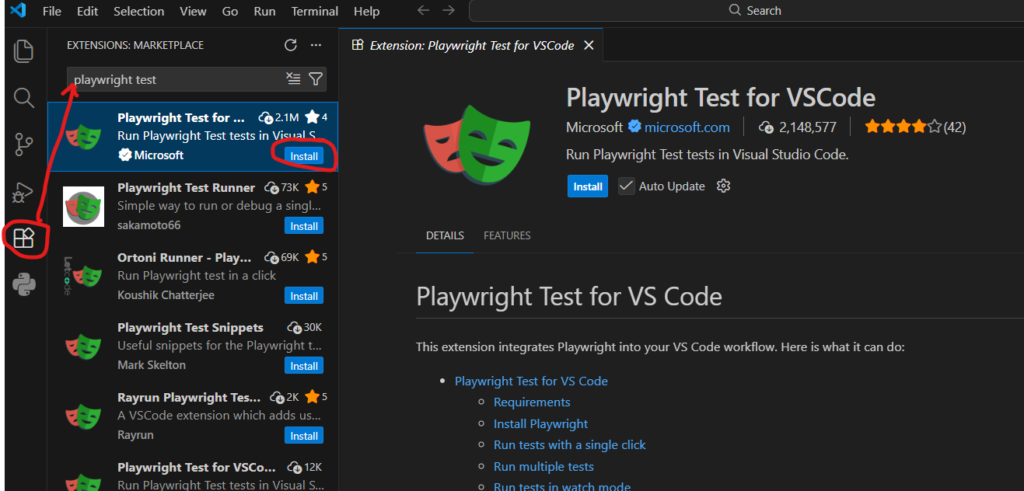
Install VS code https://code.visualstudio.com/download Install Playwright extension : Go to Extension–>Search for “Playwright Test for VSCode” –>click install This plugin will give you buttons to ▶ Run test or 🐞 Debug test from UI otherwise you need to go to terminal and execute command npx playwright test